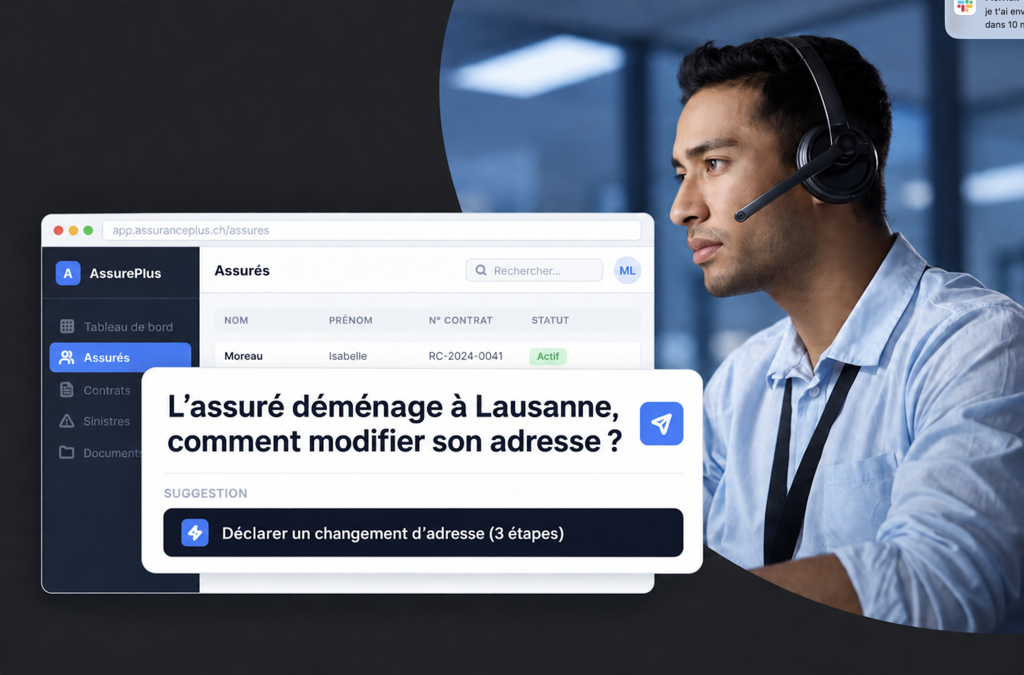

When a business team adopts a new software solution, each user looks for ways to keep doing what they used to do. In the portal we are developing for an insurance company, a claims handler might need to report a change of address, add a child to a family, or create a new customer. Every question that does not have a quick answer ends up becoming a request to a colleague or the support team, which can create real friction.
When we deliver a business software solution, we also work on this phase of user support. Our goal: for every user to find out how to do things on their own, without lengthy training or a complicated manual to work through, so that the tool is adopted from the very first weeks.
This article shows how we combine two types of AI to create an intelligent guide: a decision model, such as Jev by TypeSafe, and a large language model (LLM), such as Deepseek Flash, and what this changes for the user.
Bringing the user guide to life within the tool
The user opens the search bar and types what they want to do, in their own words. The interface suggests the relevant guide. If they launch it, it highlights where to click, then moves on to the next step as soon as it is done.
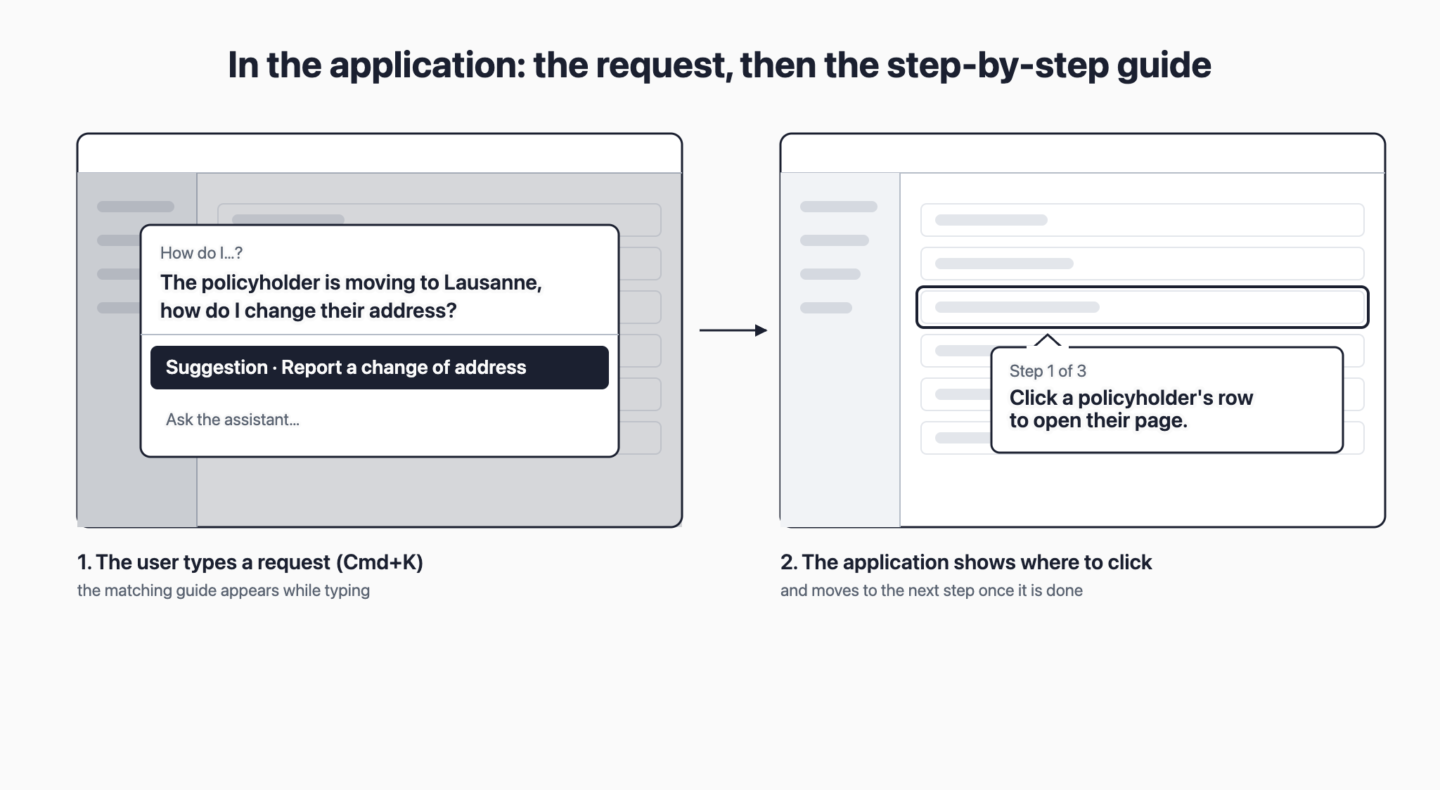
We guide the user with an AI copilot directly within the tool’s context, for the task they want to accomplish.
Guides built from the code
AI-generated help can describe a button that does not exist. We have addressed this risk at the source: the copilot does not create any guides when the user asks for one. The guides are prepared during development and then verified.
- Screens, buttons and fields come from the application’s code. Only the sequence of steps is written separately, with the help of AI, in the same way as writing a test scenario.
- Each new version is checked automatically. Each step must point to a screen, a button and text that exist in the application’s languages. If a button disappears, the version is blocked until the guide is corrected.
- Tests open the application in a real browser. They check that each screen is displayed and that each button targeted by a guide is present, following the same logic as an end-to-end test.
AI therefore has a specific role: choosing, from the guides that exist and work, the one that answers the user’s request. Whatever model is used, the application rejects any guide that is not on the list. The remaining challenge is to make this choice quickly without consuming an excessive number of tokens.
Why speed matters
Help is used to explore: we try one wording, then another, and discover along the way what the software can do. Waiting a few seconds for each request interrupts this exploration. For it to work as smoothly as possible, the response needs to arrive while the user is typing their search.
A language model understands, but takes its time
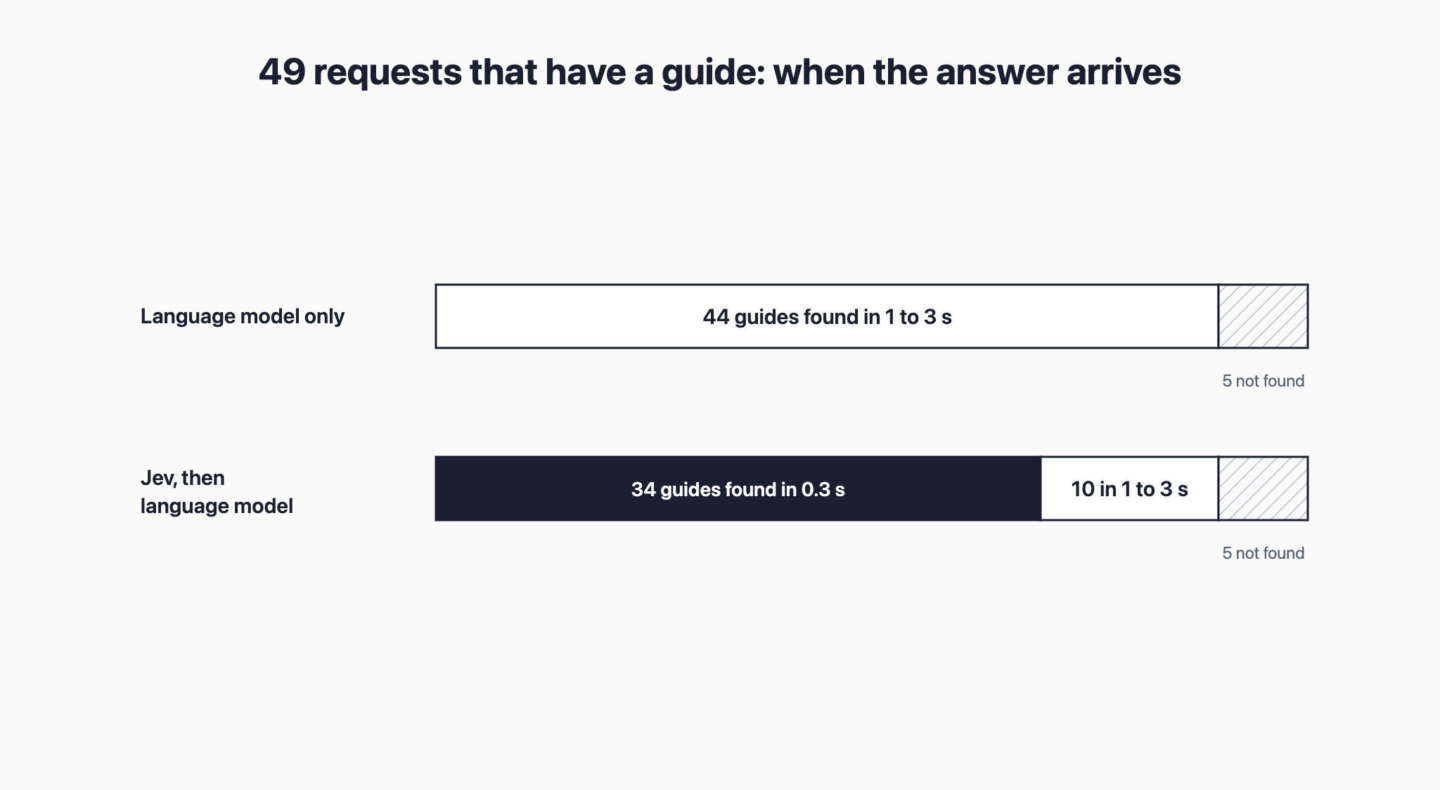
The common solution is to connect a language model, the same kind used in conversational assistants. It understands requests written in natural language well. A claims handler writes, “The policyholder is moving to Lausanne, how do I change their address?”, and the model directs them to the “Report a change of address” guide. In our tests, it found the right guide 44 times out of 49.
The limitation is that it takes one to three seconds to suggest a guide, and since we choose models that are faster and lighter, it is difficult to assess the situations in which they hallucinate or make mistakes.
A decision model like Jev lets us respond directly while the user is typing their search
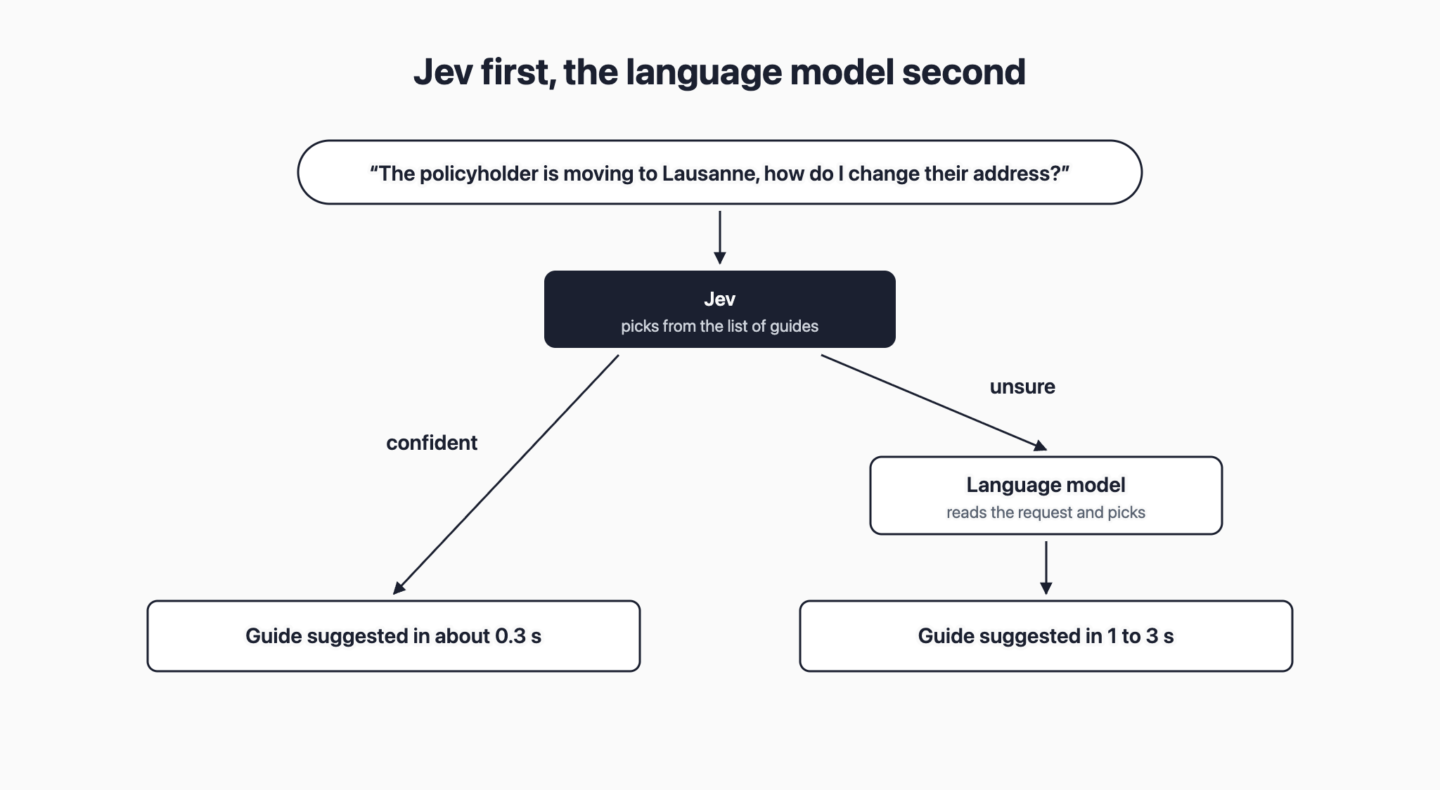
Jev is a model by TypeSafe, available in early access since 15 September 2026. Unlike a language model, Jev does not write text. It is given the request and the list of guides and screens in the application, plus “none”. It chooses one and indicates how confident it is in its choice.
- It responds in around 0.3 seconds, while the user is still typing their request.
- It always chooses from the list. By design, it cannot suggest a guide that does not exist without any additional configuration.
- It flags when it is uncertain. In this case, the search bar does not suggest any guide and the request is passed to the language model.
The two together
When the user types their request, Jev responds first. If it is confident in its choice, the guide appears immediately in the search bar. Otherwise, the request is passed to the language model.
We prepared 91 requests and fixed them before the tests. 49 correspond to a guide or screen in the application; the others are questions about business rules or requests that the application does not cover. We submitted each request to both models, then applied this rule (Jev first, the language model when Jev is uncertain) to the measured responses.
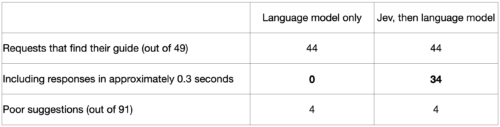
Jev followed by the language model finds as many guides as the language model alone, with the same number of errors. But 34 out of 49 requests receive their guide in around 0.3 seconds, instead of one to three seconds.
Thinking about AI beyond chat
When we think about AI, we quickly think of a conversational experience: the user asks a question, and an assistant answers in a few sentences. A decision model invites us to rethink the interface itself, with faster responses where the user is already working. The search bar we have just shown is one example. A suggestion while filling in a form, or automatically sorting incoming requests, are other examples.
When to choose this approach
A decision model has its place when three conditions are met:
- The possible answers are known in advance: a list of guides, categories or actions.
- The user’s request is enough to make the decision: there is no need to retrieve additional information.
- The response needs to be immediate: a search, a sorting action or a suggestion while typing.
For explaining, writing or reasoning about a complex request, the language model remains the right tool.
The path to optimisation
By observing user searches, we can adapt guide titles using users’ own words. Requests about a “new employee” were several times directed to “Add a family member” rather than “Create a prospect”: the title talks about a prospect, while the user talks about an employee. All the models tested stumbled on this case, and the fix is sometimes to simply change the guide title or add a few alternative entry points.
Key takeaways
- To help users get to grips with a business tool, we integrate help into the software application, with a response that arrives while the user is typing their request.
- The guides come from the code and are checked with every version: AI chooses, it does not invent.
- A decision model in front of a language model gives the same accuracy, with an immediate response for 7 out of 10 requests.
Sources
- TypeSafe, Introducing System One Models & Jev, 15 septembre 2026
- TypeSafe, documentation des modèles